
Trusted by 400+ businesses in 5 countries


































What we pull from Syrve
Syrve is the international version of iiko, so the connection and capabilities are the same.
- Sales, checks, and payments
- Delivery and aggregators
- Inventory and stock
- Recipe cards and cost of goods
- Employees, shifts, and attendance
- Delivery notes, write-offs, and transfers
- Stop lists and reservations
What you’ll see from day one
Real widgets from the app. You can change any of them with words or build a new one for yourself.
-
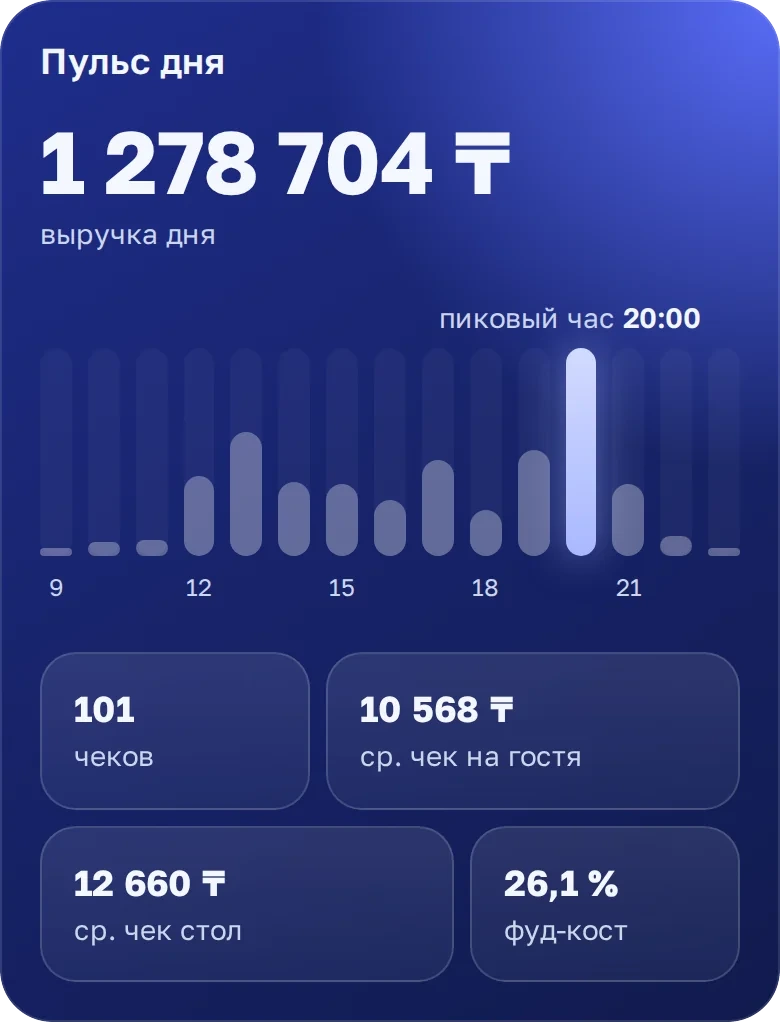
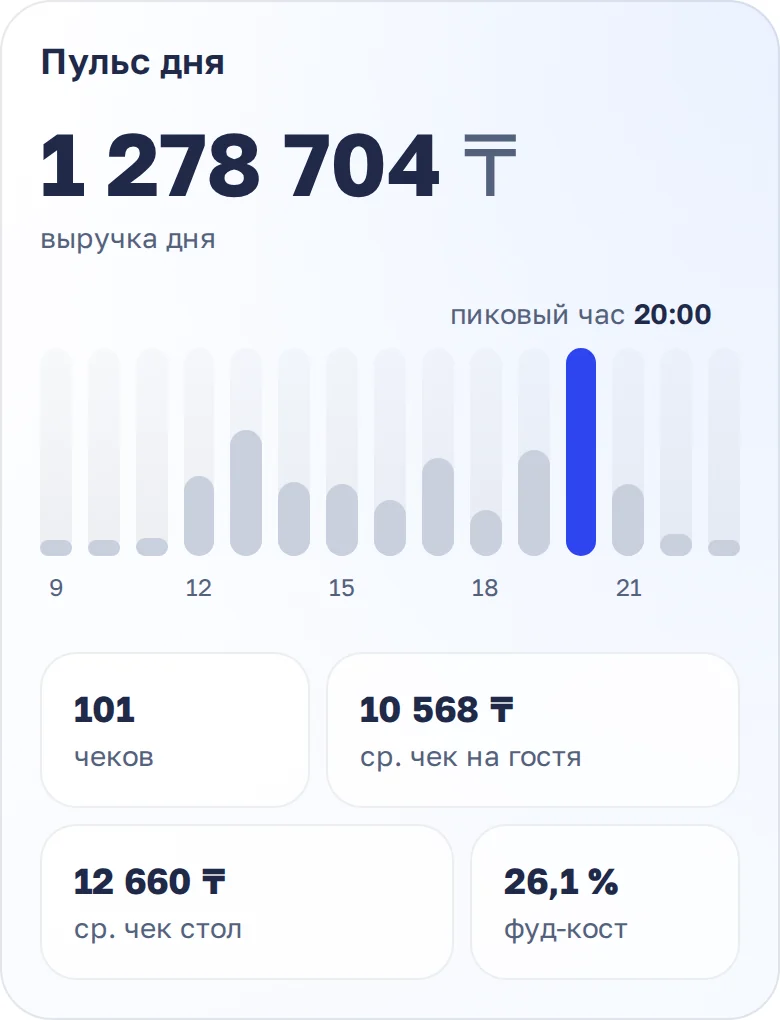
Day pulse Revenue by hour, checks, average check, and food cost for the shift. -
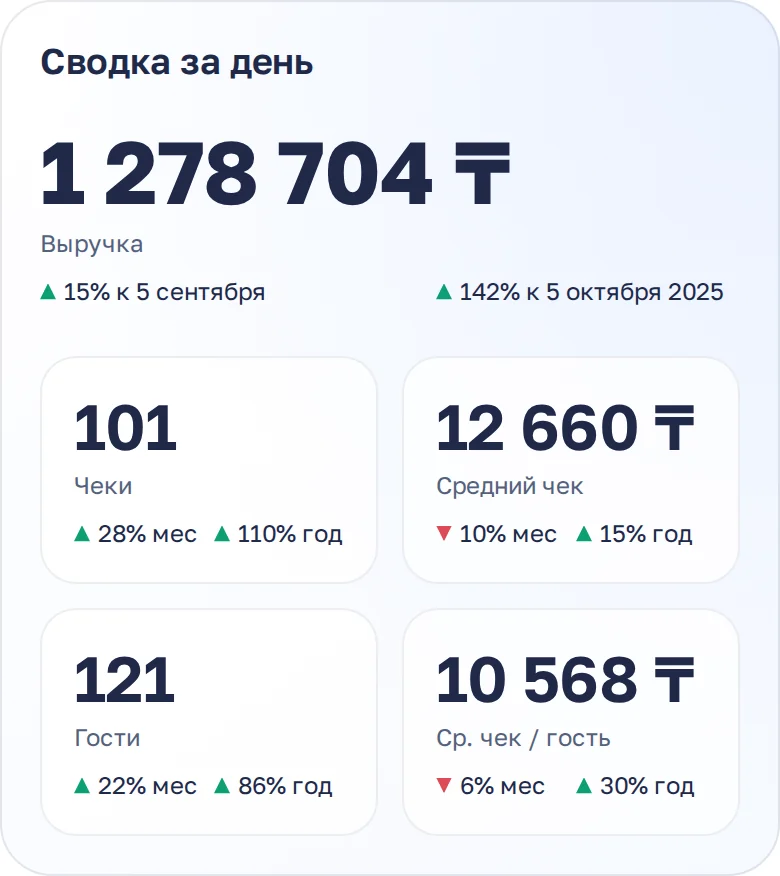
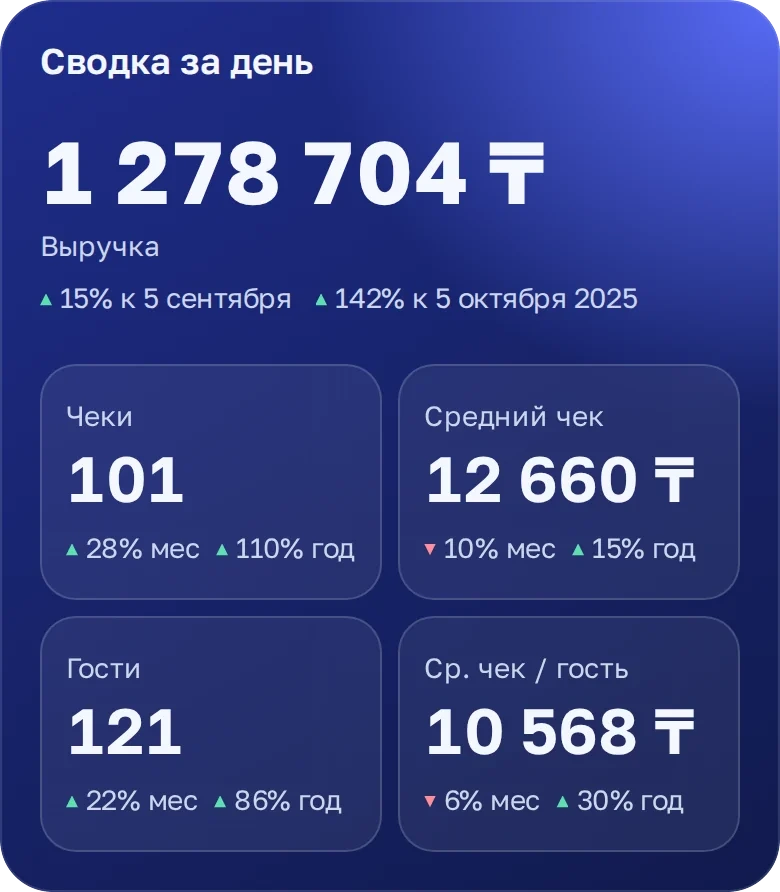
Daily summary Key numbers with trends vs. last week and last year. -
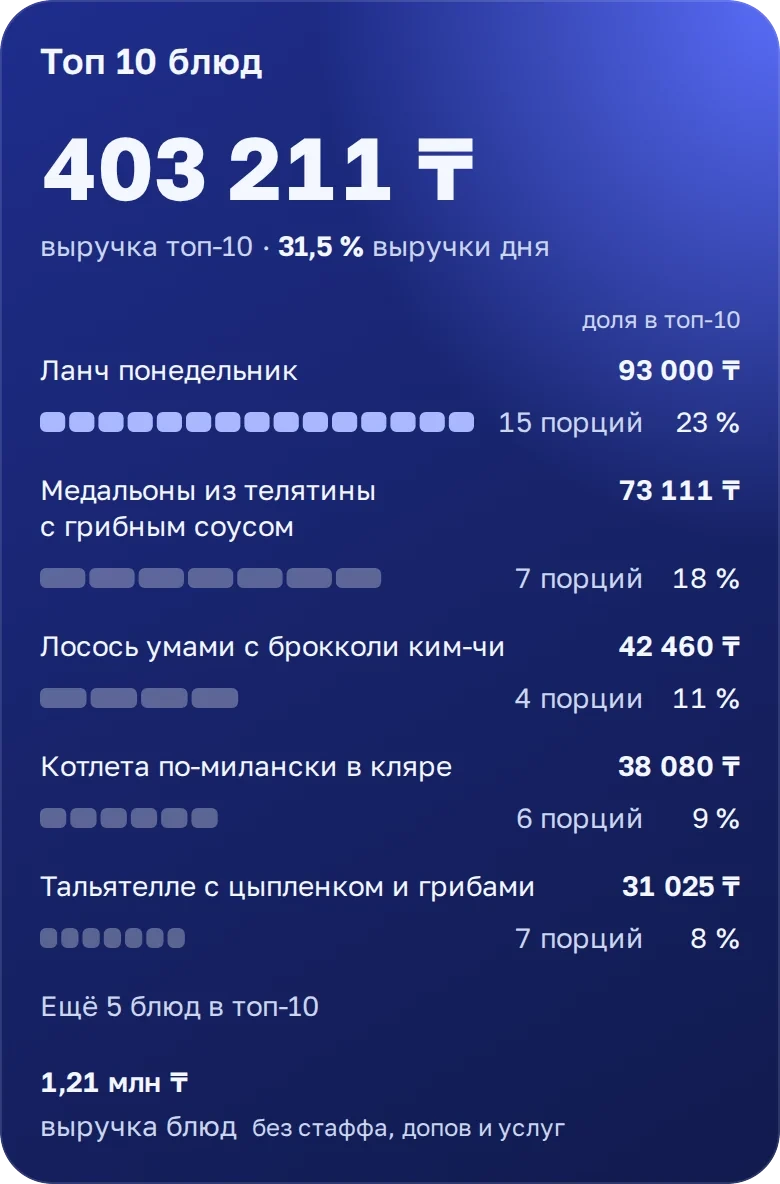
Top 10 dishes What sells best and what share of revenue it brings. -
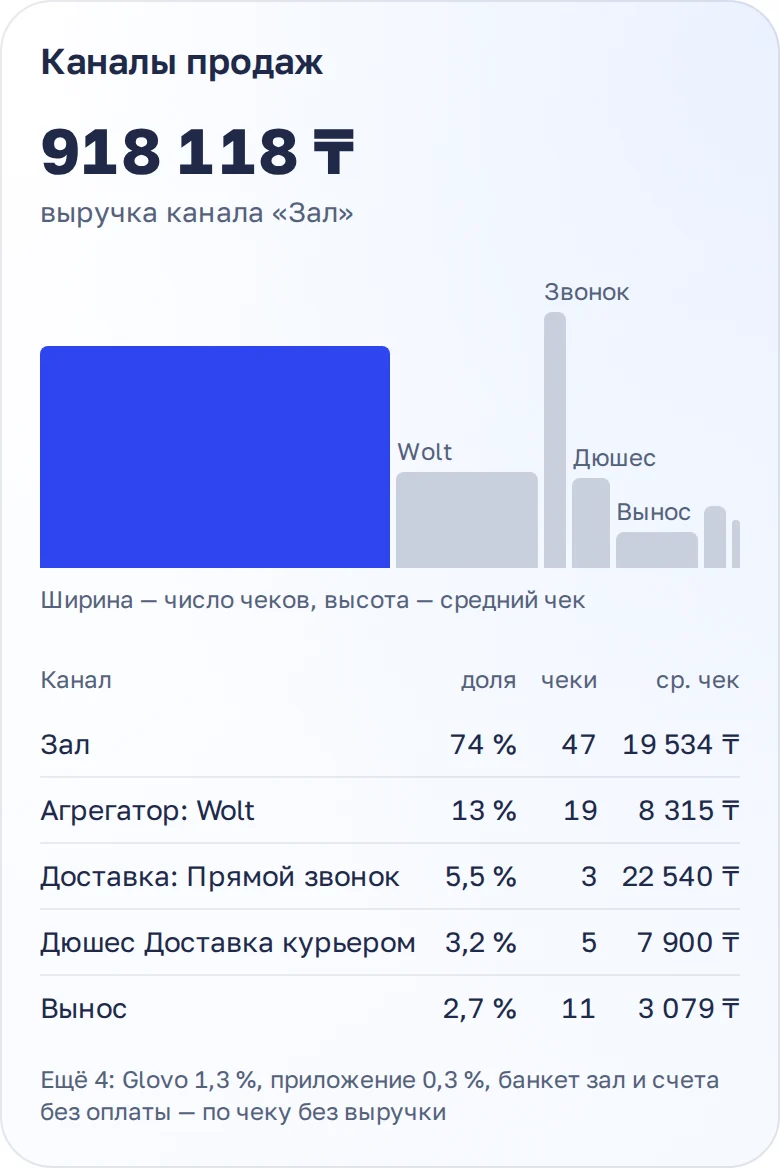
Sales channels Dine-in, delivery, and aggregators: share, checks, and average check for each. -
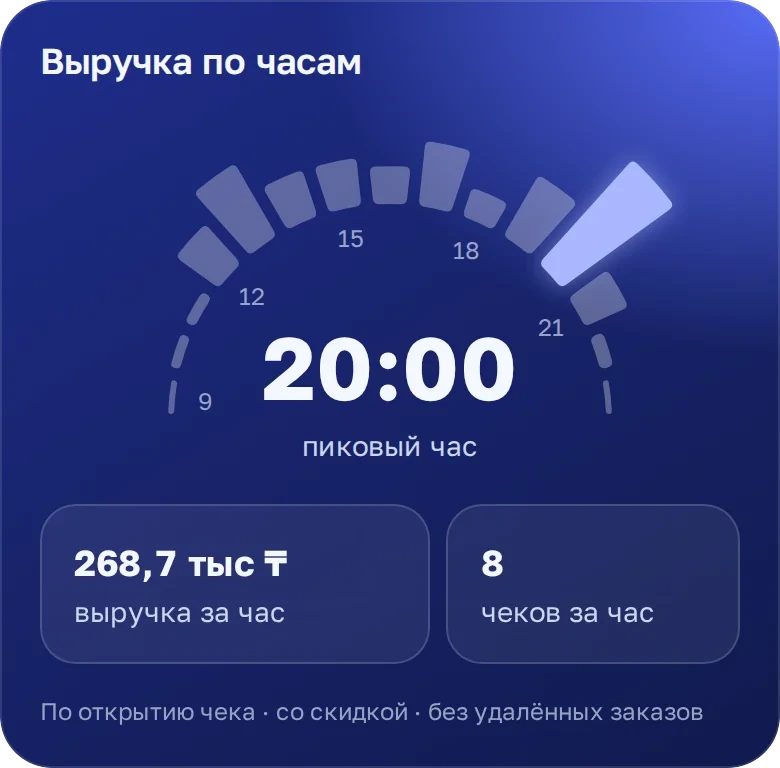
Revenue by hour The peak hour and how much each hour of operation brings in. -
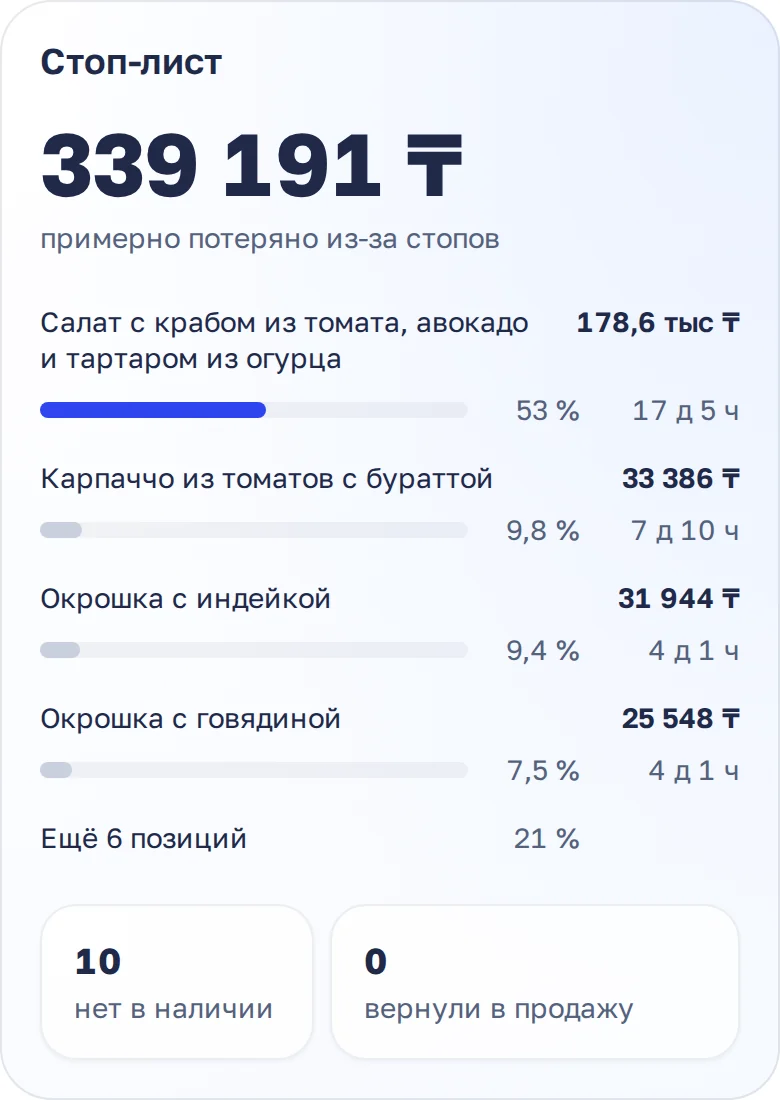
Stop list What’s on stop, for how many days, and how often that dish is ordered. -
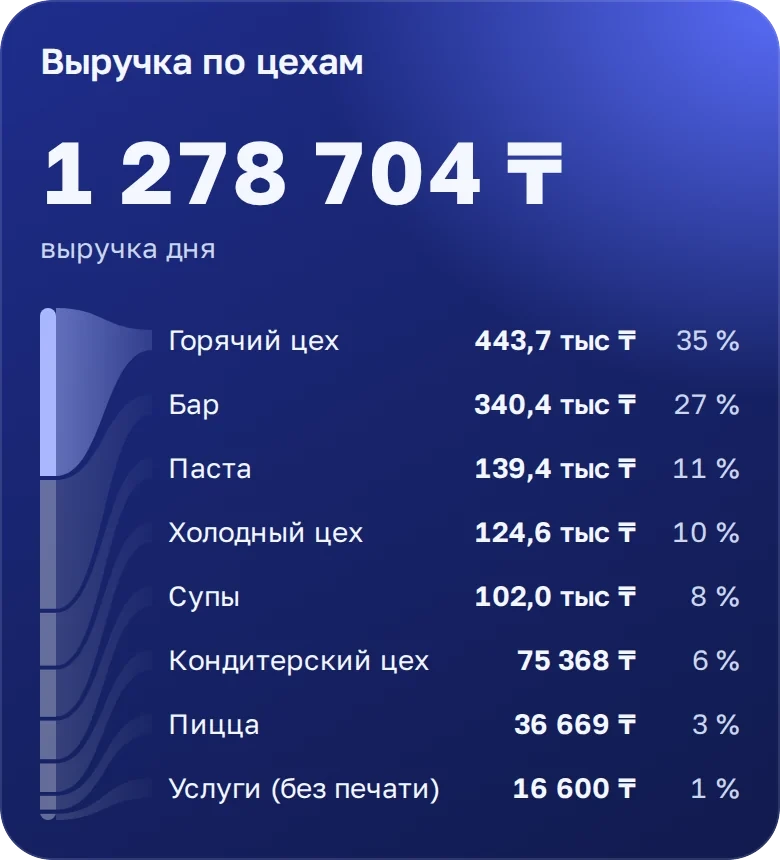
Revenue by station Kitchen, bar, pizza, pastry — each station’s contribution.
Ask about your business
In plain words, by text or voice. AI will find the numbers in your data and explain what happened.
- Why was revenue lower yesterday than a week ago?
- Which dishes do we sell at a loss?
- Which waiters upsell best?
- How much food did we write off this week, and why?
- What was the food cost by location for October?
- What gets complained about most in reviews this week?
- At what hours is the dining room empty?
- How did the rain affect delivery?
- Compare the average check for dine-in and delivery
- Which location is behind last year?
How it works
Analyst, dashboard builder, and scheduled reports — in one app.
-
AI analyst
Answers questions about your data
Ask by text or voice — it finds the numbers it needs in your register, inventory, reviews, and spreadsheets on its own and explains what happened.
- A second agent double-checks every answer
- You can see exactly how it was calculated: by checks, by revenue, with which filters
- Remembers the context of the conversation — you can ask follow-ups
-
Builder
Builds a dashboard from a description
Describe what you want to see every morning. AI suggests several layout options, you pick the best one, and from there you refine it with words.
- “Add a comparison with last year” — and the widget rebuilds itself
- Separate versions for phone and computer
- You can close the app while AI works — you’ll get a notification
-
Reports
Sends the report before you ask
Morning summary, evening digest, weekly breakdown — as a presentation in the app and as a PDF. With conclusions and explanations, not just charts.
- Schedule and recipients tailored to each person
- You can adjust a report with words, just like a widget
- Push notification when the issue is ready
-
Always at hand
Key numbers on your phone screen
Widgets on the iPhone and Android home screen show revenue and checks without opening the app. And you can follow AI’s progress right on the lock screen.
- iOS and Android home screen widgets
- Live Activity: report building or an AI answer — on the lock screen
- Public widget link — show it to a partner or put it up on a screen
Tuesday, October 20
9:41

Building the weekly report
Calculating revenue by location
What to connect alongside Syrve
Add the plan, reviews, and weather — and the AI will explain why the day turned out the way it did.
-

Google Sheets
Sales plan, payroll, your own reference lists, and notes.
-
Weather
Forecast and actuals for each location — how weather affects sales.
-

Excel, CSV, PDF
Any export can be sent right to the chat.
-
Don’t see your system?
Message us and we’ll connect it. Exports and your own database work too.
How to get started
- 1
You message us
We’ll show you in a demo how it looks in your industry and decide which systems to connect first.
- 2
We connect your data
We connect your register, accounting, and spreadsheets through their official access and load the history — dashboards fill up on their own.
- 3
You invite the team
Everyone gets their own dashboards, scheduled reports, and an AI analyst on their phone.
Pricing on request: it depends on the number of locations in your chain.
How much does it cost?
The price depends on the number of locations in your chain. Write to us — we’ll quote a price after a short conversation about your needs.
How does Syrve differ from iiko for you?
It doesn’t: Syrve is the international version of iiko, we connect the same way and show the same data.
Is English available?
Yes. The app works in Russian, English, Kazakh, and Uzbek, and the AI answers in the language of the question.
What do I need to connect?
A Syrve login with report permissions. If any permissions are missing, we’ll tell you which ones to enable.